
仮名 · 漢字 · Romaji
Read any
Japanese.
Instantly.
The free Japanese-to-Romaji translator and OCR app for iPhone and Android. Type it, paste it, or point your camera at it — get the Hepburn reading in a tap.


Free · On-device · No account · Native iOS & Android
What it does
Three ways to make Japanese readable.
Hepburn romaji
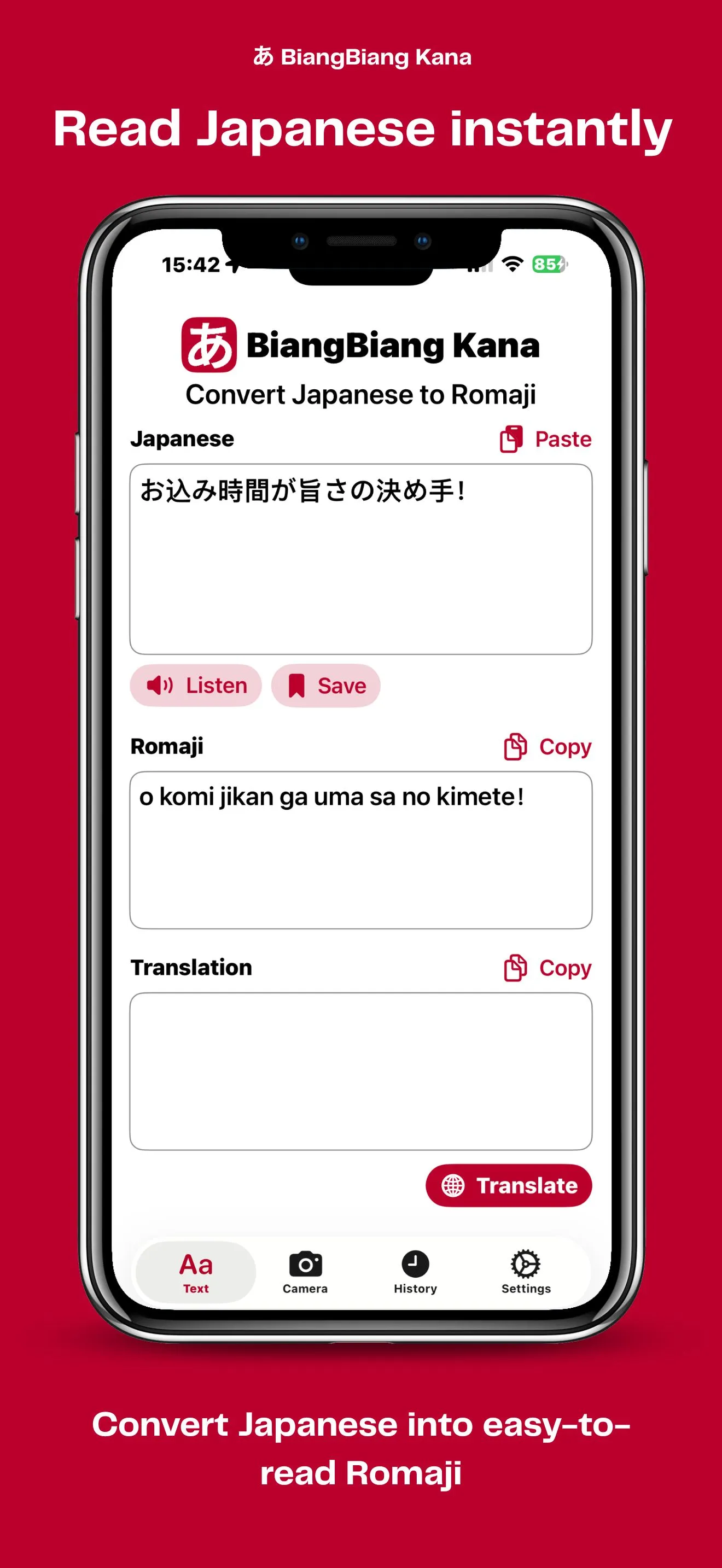
Convert Kanji, Hiragana and Katakana into Hepburn romaji (e.g. konnichiwa for こんにちは). Kanji readings are resolved automatically and mixed with Kana and Latin text.
Live camera OCR
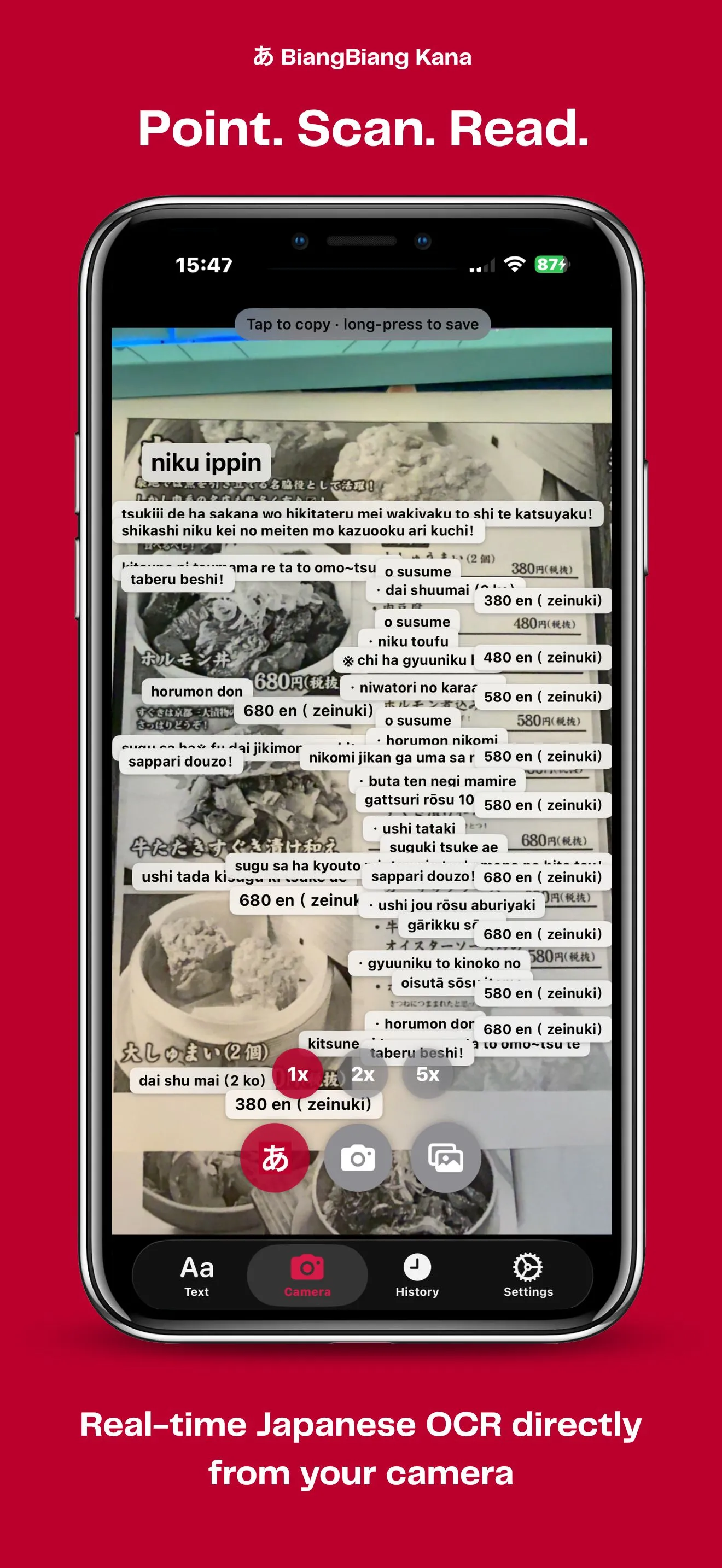
Point your phone at a sign, menu, or book page. The camera reads Japanese in real time and overlays each line with its romaji. Works on gallery photos too.
On-device translate
Translate Japanese into your language locally — no internet, no servers, no account. Your text and images never leave the phone.
See it in action
From characters to camera, in one tap.
Convert Japanese to Romaji in seconds
BiangBiang Kana is a free, native mobile app that turns Japanese text — Kanji (漢字), Hiragana (ひらがな) and Katakana (カタカナ) — into Hepburn romaji. Paste or type any Japanese text — a poem, a menu, a chat message, a textbook paragraph — and get the romanized reading instantly, with Kanji resolved to their readings. Non-Japanese characters such as Latin letters, numbers, punctuation and emoji are preserved in place, so mixed-language text stays readable.
The app is built natively for both platforms: a SwiftUI version for iPhone and iPad, and a Jetpack Compose version for Android. There is no shared cross-platform layer, which means each app feels at home on its operating system and uses the OS-level translation engines for speed and offline support.
Scan Japanese text with OCR from photos and live camera
Point your phone at a Japanese sign, restaurant menu, book page or product label and BiangBiang Kana will read the text for you. The OCR engine — Apple Vision on iOS and Google ML Kit on Android — recognizes Japanese in real time from the camera feed, and also works on photos from your gallery. Each detected line is overlaid with its romaji reading, making it easy to study, pronounce, or look up unfamiliar Japanese on the spot.
Translate Japanese to your language
Beyond pronunciation, BiangBiang Kana can translate Japanese text into your preferred language using on-device translation: the iOS Translation framework on iPhone and Google ML Kit Translate on Android. Translations run locally once the language pack is downloaded, so the app keeps working without an internet connection and without sending your text to a third-party server.
Who is it for?
- Japanese learners who need quick romaji readings while studying.
- Travelers in Japan who need to read signs, menus and labels.
- Teachers and students who work with Japanese textbooks, flashcards, or handwritten notes.
- Anyone who receives Japanese messages, documents or photos and wants to understand them.
Key features
- Japanese to Hepburn romaji conversion (e.g. konnichiwa for こんにちは).
- Kanji readings resolved automatically, mixed with Kana and Latin text.
- OCR from photos and from the live camera feed.
- On-device translation of Japanese into many target languages.
- Privacy-friendly: text and images stay on your device.
- Free to download on the App Store and Google Play.
- Native iOS (SwiftUI) and Android (Jetpack Compose) apps.
Why it is called BiangBiang Kana
BiangBiang Kana belongs to the BiangBiang family of language apps, named after biáng (𰻝) — one of the most complex CJK characters in existence, used to write biángbiáng noodles (𰻝𰻝面). Where its sibling app handles Chinese, Kana focuses on Japanese: taking complicated text and making it easy to read.